












How to Find Your iPad Model & Pick the Perfect Case (2026 Easy Guide)
08 Jan 2026
0 comments
Ever fallen in love with a cute cartoon iPad case or a sleek minimalist cover, only to wonder if it’ll actually fit your tablet? We’ve all been there! Apple’s iPad lineup is diverse—from the compact iPad mini to the large iPad Pro—and cases are not one-size-fits-all. A mismatched case can block ports, leave your camera unprotected, or even slip off, ruining both your new accessory and your peace of mind.
The good news? Finding your exact iPad model is quick and easy—no tech expertise required! In this guide, we’ll walk you through 4 foolproof ways to identify your iPad model, plus share key tips to pick the perfect case (whether you’re into cute cartoons, minimalist elegance, or futuristic tech vibes). Let’s dive in!
Why Knowing Your Exact iPad Model Matters
You might think “iPad Air” or “iPad Pro” is specific enough, but Apple often tweaks dimensions, camera placements, and port designs between generations. Here’s why precision counts:
-
An iPad Air 5 (10.9-inch) case won’t fit an iPad Air 4—same screen size, but different camera cutouts and button alignment.
-
iPad Pro 11-inch (2021) vs. 11-inch (2024): The newer model has upgraded USB-C port specs, so old cases may block charging or data transfer.
-
iPad mini 6 (8.3-inch) needs a custom compact case—standard iPad cases will swallow it, leaving gaps that offer no protection.
Spending 2 minutes confirming your model saves you from annoying returns, wasted money, and the frustration of a case that just doesn’t work. Plus, it ensures you get a cover that showcases your style—whether that’s playful cartoons or sleek tech aesthetics—while keeping your iPad safe.
4 Foolproof Ways to Find Your iPad Model
We’ll start with the fastest method (works for most people) and move to backup options if your iPad is unresponsive or you’ve lost the box.
Method 1: Check Settings (Fastest & Easiest)
This is the best option if your iPad is turned on and unlocked:
-
Open the Settings app (look for the gray gear icon on your home screen).
-
Scroll down and tap General.
-
Select About.
-
Look for Model Name—this will tell you your exact iPad model (e.g., “iPad Pro 13-inch (6th Gen)”, “iPad mini (6th Generation)”).
-
Pro tip: Tap the Model Number (starts with “M,” “N,” or “F”) once to reveal the A-number (e.g., A3794 for iPad Air 6). This is Apple’s official hardware identifier—perfect for double-checking if you’re unsure.
Method 2: Find the Model Number on the iPad (Even If It’s Dead)
If your iPad won’t turn on, you can still find the model number physically:
-
All iPads (except 1st Gen): Flip your iPad over. The model number (starting with “A”) is printed in small text near the bottom, just above the charging port. Wipe off dust or case residue to see it clearly.
-
iPad 1st Gen (vintage!): The model number is on the back, often under the Apple logo. Use a flashlight if it’s faded.
Method 3: Check the Original Box or Receipt
Still have the box your iPad came in? Score! The model name and number are printed on the front or side (look for “Model: iPad Pro 12.9-inch (5th Gen)”).
No box? Dig up your email receipt—online orders (Apple Store, Amazon, etc.) always list the exact model in the order details.
Method 4: Use Physical Features to Guess (If All Else Fails)
Can’t find the model number? Use these unique features to narrow it down. It’s like a mini iPad treasure hunt!
|
Physical Feature
|
What It Tells You About Your iPad Model
|
|---|---|
|
Screen Size
|
Compact (7.9–8.3 inches): iPad mini (all generations). Standard (10.2–10.9 inches): iPad (9th/10th Gen), iPad Air (4th/5th/6th Gen). Large (12.9–13 inches): iPad Pro (12.9-inch or 13-inch).
|
|
Camera Placement
|
Single camera on back: Standard iPad or iPad mini. Dual cameras (with LiDAR scanner): iPad Pro. Camera centered at top (portrait mode): iPad Pro (2021+) or iPad Air 5+.
|
|
Charging Port
|
Lightning port (small, oval): iPad 9th Gen or older, iPad mini 5 or older. USB-C port (oval, reversible): iPad 10th Gen+, iPad Air 4+, iPad Pro (2018+), iPad mini 6+.
|
|
Home Button
|
Has home button: iPad (7th–9th Gen), iPad Air 3 or older, iPad mini 5 or older. No home button (Face ID): iPad Pro (2018+), iPad Air 4+, iPad 10th Gen.
|
How to Choose the Perfect Case for Your iPad Model
Now that you know your exact model, it’s time to pick a case that fits perfectly and matches your style—whether you love cute cartoons, minimalist luxury, or tech-inspired designs. Follow these tips:
Step 1: Confirm Model Compatibility First
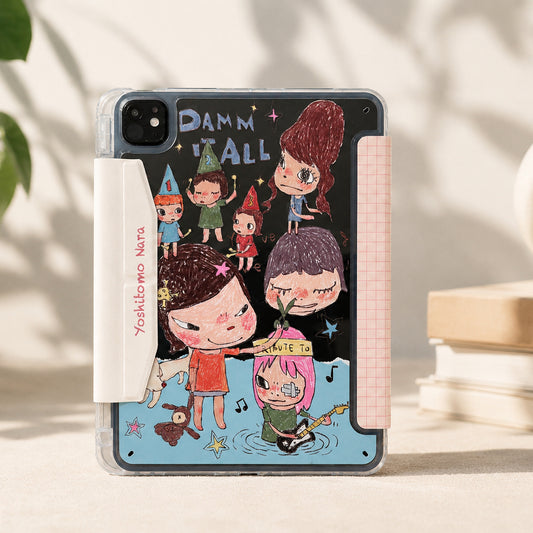
Always check the product description for a list of supported models. Reputable sellers (like us!) will clearly state which iPads the case fits. For example, our cute cartoon iPad Air 6 case in our iPad case collection explicitly says “Compatible with iPad Air (6th Gen, A3794)” to avoid mix-ups.
Skip “universal” or “one-size-fits-most” cases—they’re loose, offer little protection, and won’t showcase your style as well as a model-specific cover.
Step 2: Match the Case Style to Your Vibe
Now for the fun part! Choose a case that reflects your personality:
-
Cute & Cartoon: Perfect for adding a playful touch—look for cases with whimsical characters, pastel colors, or fun patterns that brighten your day. Explore our cute cartoon iPad cases here.
-
Minimalist & Premium: Sleek designs in neutral tones (black, white, beige) or soft metallics that exude elegance. Great for work or everyday use. Check out our minimalist iPad cases collection.
-
Tech-Inspired: Cases with matte black finishes, carbon fiber textures, or subtle LED accents that complement your iPad’s modern design. Browse our tech-inspired iPad cases now.
Step 3: Check for Key Features
Make sure the case fits your lifestyle:
-
Protection: Look for shock-absorbent materials (like TPU or silicone) if you’re prone to dropping your iPad, or slim hard cases for basic protection.
-
Apple Pencil Compatibility: If you use an Apple Pencil, choose a case with a dedicated slot or wireless charging support—avoid cases that block charging areas.
-
Stand Function: Useful for watching videos or typing—opt for cases with multiple viewing angles if you use your iPad for work or entertainment.
Step 4: Read Customer Reviews
Scroll through reviews to see what other users with your iPad model say. Look for comments like “Fits my iPad Pro 11-inch (2024) perfectly!” or “The cartoon print is vibrant and doesn’t fade.” Real-world feedback helps you avoid duds.
Common Mistakes to Avoid
-
Assuming same screen size = same case: iPad Air 4 and 5 both have 10.9-inch screens, but their camera placement differs—cases aren’t interchangeable.
-
Reusing old cases for new iPads: Even if they look similar, tiny tweaks (like USB-C ports or Face ID) mean old cases won’t fit right or protect your device.
-
Ignoring regional models: Some iPads are region-specific (e.g., A3801 for iPad Pro 13-inch in Europe). Confirm the A-number if you bought your iPad overseas.
Final Thoughts
Finding your iPad model is quick and easy—and it’s the first step to getting a case that fits perfectly, protects your device, and shows off your style. Whether you’re into cute cartoons, minimalist luxury, or tech-inspired designs, a model-specific case is always the way to go.
Ready to find your perfect match? Browse our full collection of model-specific iPad cases—we’ve got something for every vibe, from playful cartoons to sleek premium designs. If you need help, just send us your iPad’s Model Name or A-number, and we’ll point you in the right direction!
FAQs
Q: Can I use an iPad Air 5 case on an iPad Air 6? A: No! The iPad Air 6 has an updated camera bump and USB-C port placement—Air 5 cases will have misaligned cutouts and won’t fit properly.
Q: Do you have cases for older iPad models (e.g., 5th Gen)? A: Absolutely! We stock model-specific cases for older iPads—just confirm your Model Name or A-number to find the right fit.
Q: Are your cute cartoon cases as protective as plain ones? A: Yes! All our cases use the same shock-absorbent, model-specific molds—they’re just as protective as plain cases, with the added fun of unique designs.